You load the dishes, add detergent, select a wash cycle, and press Start. The display lights up, the buttons respond, but nothing happens. No water enters, the spray arms remain still, and the dishwasher simply sits there. If this sounds familiar, you may be wondering whether the appliance has stopped working or whether you are missing a simple setting.
A dishwasher that has power but will not start does not automatically need an expensive repair. Features such as Control Lock and Delay Start can prevent a cycle from beginning, while a door that does not latch properly can stop the machine from operating. These are worth checking before assuming an internal component has failed.
However, if the basic settings are correct and the dishwasher still refuses to run, the problem could involve the door switch, wiring, user interface, or electronic control board. Here is how to troubleshoot the issue and recognize when it is time to call an appliance repair technician in Arlington or elsewhere in the DMV.
Why Are the Dishwasher Lights On but the Cycle Won't Start?
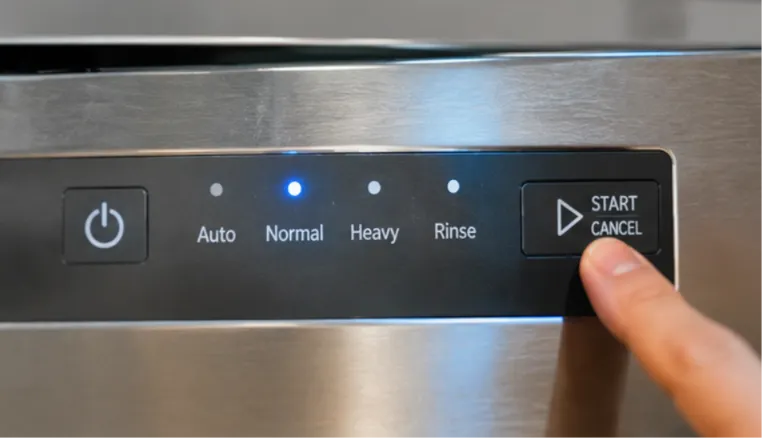
When the display illuminates but the dishwasher does not begin washing, it usually means at least part of the control system is receiving electrical power. However, that does not confirm that every component is working correctly or that the appliance has received all the signals needed to start a cycle.
Modern dishwashers have several built-in safety and operating conditions. The door must be securely latched, the controls must be unlocked, and the selected cycle must be ready to begin. If one of these conditions is not met, the dishwasher may remain idle even though the display is working.
Pay attention to what happens when you press Start:
- Does the Start light flash without beginning the cycle?
- Do the control panel buttons respond normally?
- Does the dishwasher beep but remain silent?
- Does the display show a lock symbol or a countdown?
- Does the appliance start briefly and then stop?
These details can help narrow down the problem. For example, a flashing Start light may indicate a door-latch or cycle-selection issue on some models, while a countdown may simply mean Delay Start is active. The meaning of indicator lights varies by manufacturer, so check the owner's manual before interpreting an error or warning.
Is the Control Lock Preventing Your Dishwasher From Starting?
Control Lock, sometimes called Child Lock or Lock Controls, is one of the first things to check when a dishwasher lights up but does not respond to commands. This feature prevents accidental button presses and unintended changes to a selected wash cycle.
When Control Lock is active, the display may remain illuminated, but most or all control buttons will be disabled. Some models show a padlock symbol, while others display a dedicated Control Lock indicator. You may also hear a beep or see a light flash when pressing a button.
How to check and turn off Control Lock:
- Look for a padlock symbol or a Control Lock indicator on the display.
- Check the owner's manual for the correct unlocking procedure.
- On some models, you need to press and hold a designated button for approximately three seconds.
- On other models, two buttons must be pressed together.
- Once the lock indicator turns off, select a wash cycle and try starting the dishwasher again.
The exact button combination varies by manufacturer and model. For example, GE dishwashers use different button combinations depending on the control design. Whirlpool also uses model-specific unlocking instructions.
If the buttons remain unresponsive after following the correct unlocking procedure, there may be another issue with the user interface or control system. Avoid repeatedly pressing random button combinations because they may activate other settings.
Could Delay Start Be the Reason Your Dishwasher Isn't Running?
Delay Start allows you to schedule a dishwasher cycle to begin later. It is useful when you want the machine to run overnight or during a specific time, but it can be confusing if you accidentally activate it.
When this feature is selected, the dishwasher may display a countdown instead of starting immediately. The control panel stays illuminated, and the appliance waits until the programmed time arrives. This can make it look like the dishwasher is broken when it is actually following the selected schedule.
Check these details before calling for repair:
- Look for a Delay Start, Delay Wash, or countdown indicator.
- Check whether the display shows a remaining time before the cycle begins.
- Press the Cancel or Delay button according to your model's instructions.
- If necessary, cancel the current selection and choose a new wash cycle.
- Press Start and close the door as directed by the manufacturer.
Some dishwashers also enter a standby or sleep mode when they are not being used. Opening the door, pressing Start, or selecting a cycle may wake the controls, depending on the model.
If the delay setting is cleared but the dishwasher still does not respond, move on to checking the door latch. Whirlpool's troubleshooting guidance also identifies Control Lock, standby mode, Delay Wash, and door closure as common reasons a dishwasher may not start.
Is a Faulty Dishwasher Door Latch Stopping the Cycle?
A dishwasher must detect that its door is properly closed before it can begin operating. This safety feature prevents water from spraying out while the appliance is running. If the latch does not engage correctly, the control system may prevent the wash cycle from starting even when the display and buttons work normally.
Sometimes the problem is simple. A dish, utensil, or incorrectly positioned rack may prevent the door from closing fully. In other cases, the latch assembly or its internal switch may be worn or damaged.
Check these areas first:
| What to inspect | What could be wrong |
|---|---|
| Door alignment | The door may not sit evenly against the frame |
| Dish racks | A rack or large dish may obstruct the door |
| Door gasket | A displaced or damaged seal may interfere with closure |
| Latch area | Food debris or an obstruction may prevent engagement |
| Door handle | A damaged handle may make proper closure difficult |
Close the door firmly and listen for the latch to engage. Do not slam it or force the handle. If the door closes normally but the dishwasher still behaves as though it is open, the latch switch may not be sending the correct signal to the control system.
A technician can test the latch assembly and door switch to determine whether the mechanical latch or its electrical contacts have failed. Bosch's troubleshooting guidance also identifies an improperly engaged door latch as a common reason a dishwasher with illuminated controls will not start.
What Can You Safely Try Before Calling a Dishwasher Repair Technician?
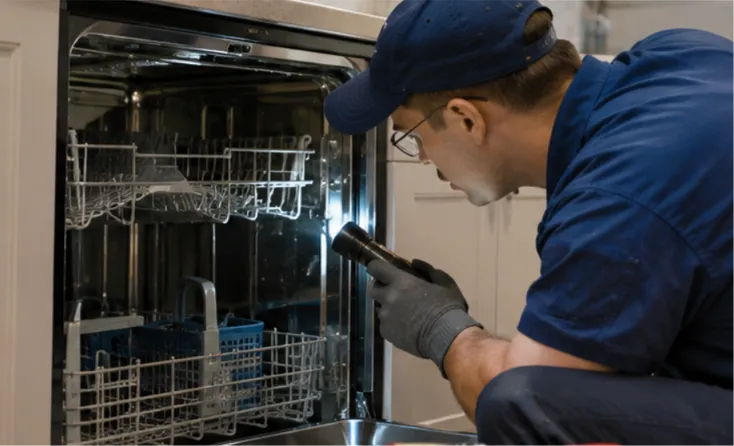
Once you have checked Control Lock, Delay Start, and the door latch, a few basic checks may help resolve the problem. These steps do not require opening the appliance or working with internal electrical components.
Try the following:
- Cancel the current cycle: Use the Cancel or Drain function according to your owner's manual to clear an incomplete or interrupted cycle.
- Check the water supply: Make sure the shutoff valve under the sink is open and the visible supply hose is not kinked.
- Check for visible obstructions: Make sure dishes, utensils, and racks are not preventing the door from closing.
- Perform a basic power reset: If the manufacturer recommends it, disconnect power using the accessible plug or dedicated circuit breaker. Wait for the period specified in the manual, then restore power and try a new cycle.
- Observe the display: Note any error codes, flashing lights, or unusual beeping patterns that appear after the reset.
A reset can sometimes clear a temporary control glitch, but it will not repair a damaged latch, faulty switch, or failed electronic component. If the dishwasher repeatedly refuses to start after these checks, further diagnosis is needed.
Do not remove electrical panels, bypass the door switch, or test live wiring yourself. If the breaker trips repeatedly, you notice a burning smell, or there are signs of damaged wiring, leave the dishwasher switched off and arrange qualified service.
Could a Faulty Control Board Be Why Your Dishwasher Won't Start?
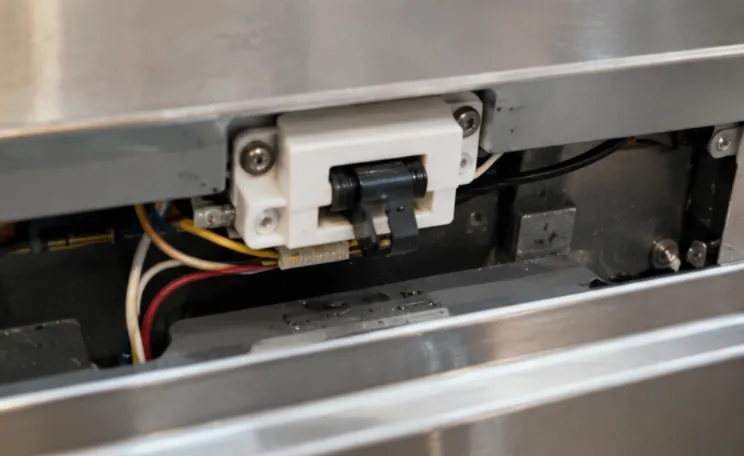
If the basic settings are correct, the door closes properly, and a reset does not help, the problem may be inside the dishwasher's electrical or control system. One possible cause is a faulty electronic control board.
The control board coordinates different dishwasher functions, including cycle selection, water filling, circulation, draining, and communication with safety switches. If it fails to process a signal correctly, the display may still illuminate while the appliance refuses to start.
However, a control board should not be blamed without testing other components first. Several faults can produce similar symptoms.
| Possible component | How it can affect starting |
|---|---|
| Door switch | Fails to confirm that the door is securely closed |
| User interface or keypad | Does not register the selected cycle or Start command |
| Wiring connections | Interrupt communication between components |
| Control board | Fails to process or send the required operating signals |
| Water inlet system | A supply or inlet fault may prevent the cycle from progressing |
A professional diagnosis helps distinguish between these possibilities. An appliance repair technician may inspect the latch and switch, check relevant wiring connections, retrieve error information, and test the control system according to the manufacturer's service procedure.
Replacing the control board without identifying the original fault can waste money and may not solve the problem. A proper diagnosis is especially important on newer dishwashers with electronic touch controls and multiple safety features.
Why Choose District Appliance Services for Dishwasher Repair in the DMV?
A dishwasher that will not start can interrupt your entire kitchen routine, especially when basic troubleshooting does not resolve the issue. The important thing is to identify the actual cause rather than replacing parts based on symptoms. A faulty latch, control interface, or electronic board can all produce similar starting problems.
With more than 20 years of appliance repair experience, District Appliance Services helps homeowners across Arlington, Washington, DC, Maryland, and Northern Virginia. Our technicians handle common dishwasher problems, including door latch failures, drainage issues, unusual noises, and cycle interruptions. Our dishwasher repair services follow a diagnose, repair, and test approach to identify the fault and check operation after service.
If your dishwasher still will not start after checking the control settings and door closure, our team can help investigate the problem. We also provide appliance repair services across the DMV for other household equipment. Call (202) 930-9554 to discuss your dishwasher problem and schedule a repair appointment.
Frequently Asked Questions
1. Why does my dishwasher have power but won't start?
The dishwasher may have Control Lock or Delay Start activated, or its door latch may not be engaging properly. If these settings are correct, a faulty door switch, keypad, wiring connection, or control board may be preventing the cycle from starting.
2. How do I know if Control Lock is on?
Look for a padlock symbol or a Control Lock indicator on the display. Some dishwashers flash a light or beep when you press a locked button. Check your owner's manual for the correct unlocking procedure because button combinations vary by model.
3. Can a dishwasher door latch prevent it from starting?
Yes. The dishwasher uses a door switch to confirm that the door is securely closed before allowing operation. If the latch is damaged or the switch does not register the closed position, the appliance may remain idle even when its lights are on.
4. How do I reset a dishwasher that won't start?
Follow the manufacturer's reset instructions. Some models can be reset by disconnecting power for approximately one minute, then restoring it and selecting a new cycle. The required procedure varies, so check your owner's manual before resetting the appliance.
5. When should I call an appliance repair technician in Arlington?
Call a technician if the dishwasher still will not start after checking Control Lock, Delay Start, door closure, and the basic power reset. Repeated error codes, unresponsive buttons, a faulty latch, or suspected control board problems require professional diagnosis.